


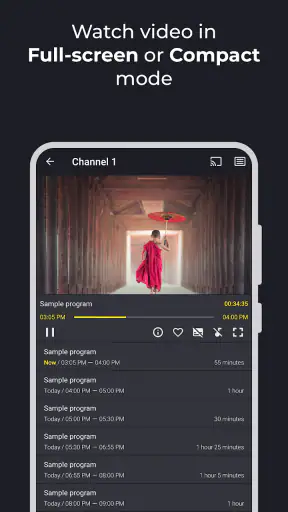
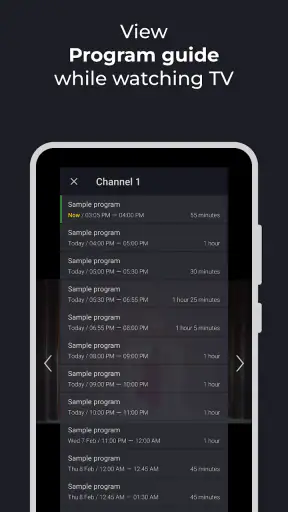
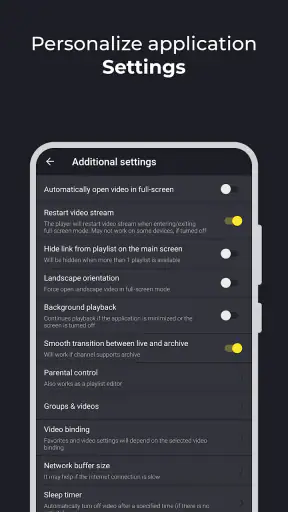
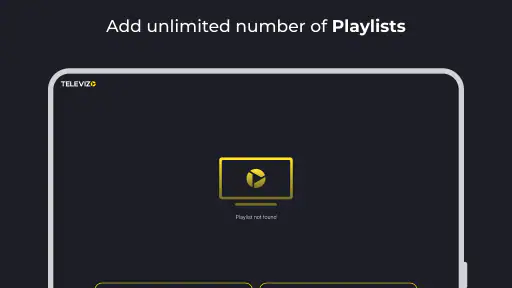
I approached Televizo as a practical viewing tool rather than a complete entertainment service. It is an IPTV player for Android, designed to handle television streams that you already have access to, whether you are watching on a phone, tablet, or TV. That distinction matters: the app is the player and organizer, not a replacement for a television provider or a source of channels.
After using it, my impression is that its appeal comes from keeping the setup focused. There is no attempt to turn the experience into a social platform, video editor, or oversized media hub. You bring your IPTV information, arrange the available content, and use the app as the front end for watching it. For someone who wants a cleaner way to manage legitimate IPTV access, that simplicity can be useful. For someone expecting channels, films, or shows to appear automatically, it will feel incomplete.
Starting with an IPTV setup instead of a blank screen
The first thing I would clarify to a friend is what this application does and does not represent in everyday use. Televizo belongs to the video players and editors category, but its role is specifically playback and IPTV organization. It does not replace a subscription, create a channel package, or provide programming by itself. You need a compatible source from your provider before the app becomes useful.
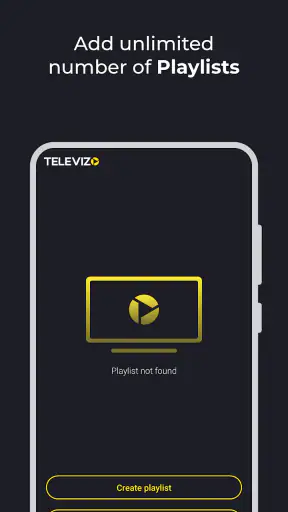
That makes the starting point slightly different from opening a conventional streaming service. With a familiar streaming app, you sign in and browse a catalog. Here, the quality of the first experience depends on having the correct playlist or connection details and entering them carefully. If your provider gives you a playlist address or another supported access method, the app becomes a place to bring that material together. If you do not already have IPTV access, installing it alone will not give you something to watch.
I like this separation because it keeps expectations honest. The player is not pretending to be a content marketplace. It is a tool for people who already know where their streams come from and want a more convenient way to reach them. The trade-off is that beginners may need help from their provider before they understand what belongs in the setup screen.
The developer is Andrey Menscikov, and the app has been available since February 28, 2019. Its current version is 1.9.9.31-g, while the minimum operating system is Android 6.0. Those details make it approachable for people using older Android hardware, although the viewing experience will still depend heavily on the device, network, and stream source rather than the minimum requirement alone.
What I would prepare before opening it
My practical advice is to collect the exact IPTV information first instead of trying random entries inside the player. Keep the provider’s instructions nearby, check whether the account is active, and confirm that the source is intended for use with an external player. This saves time because a failed stream is not automatically an app problem. It may be an expired account, a mistyped address, a provider-side issue, or a connection that works poorly on the current network.
A useful habit is to test the setup with a small number of channels before spending time organizing everything. If the first stream loads and remains stable, you have a better foundation for arranging the rest. If it fails, troubleshoot the source before blaming the interface. This is one of the less obvious realities of IPTV players: the player can make access easier, but it cannot repair unreliable delivery from the source.
I also found that the choice of device changes the purpose of the app. On a phone, it is convenient for occasional viewing or checking a stream away from the main television. On a tablet, the larger screen makes browsing more comfortable. On a TV, the value is less about portability and more about creating a familiar viewing point for the household. The same account or source may feel perfectly manageable on one screen and awkward on another, depending on how much browsing you do.
Building a watchable library from provider content
Once the source is connected, the making process is really an organization process. You are not producing a video inside Televizo; you are shaping a usable viewing environment from the channels and categories your IPTV source supplies. That distinction is important for anyone approaching the app from a creative-workflow perspective. The “raw material” is the provider’s list, and the useful work is turning that list into something you can navigate without frustration.
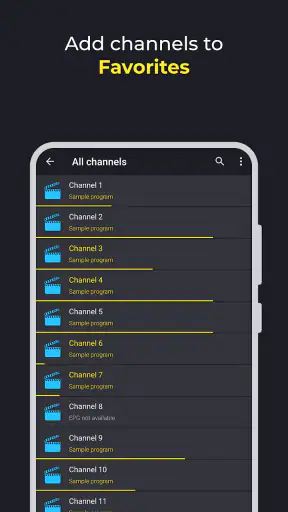
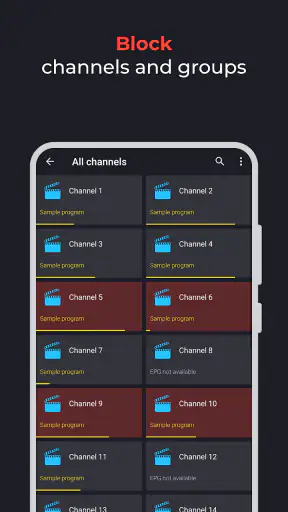
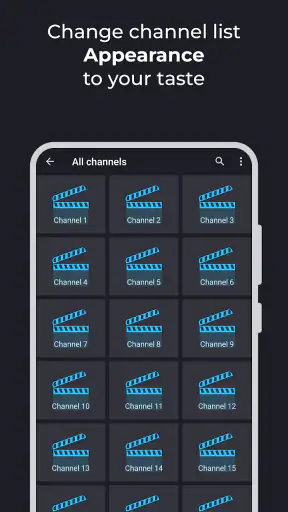
A long IPTV list can be difficult to use if every channel is treated equally. I would begin by identifying the channels I actually watch and putting attention on those first. News, sports, children’s programming, films, and regional channels often serve different moments in the day, so grouping them mentally or through the available organization tools can reduce repeated scrolling. The best setup is not necessarily the one with the most channels; it is the one that gets me to the right channel quickly.
This is where a dedicated IPTV player can feel more practical than opening separate provider pages or relying on a generic video player. A normal local-media app is excellent for files stored on a device, but it is not designed around a constantly changing television list. A streaming service is smoother when its own catalog contains what you want, yet it usually cannot organize an independent IPTV source in the same way. Televizo sits between those approaches: it is more specialized than a basic player, but it depends on outside content rather than supplying a finished catalog.
One useful workflow is to treat the first successful import as a draft rather than a final arrangement. Watch how the list behaves during normal use. Some channels may be irrelevant, duplicated, poorly labeled, or unavailable at certain times. Instead of trying to perfect everything immediately, I would first create a short everyday route: the channels used most often, followed by occasional choices. That keeps the interface practical while leaving room to refine it later.
Everyday scenario: a quick evening setup
Imagine coming home and wanting to check a news channel, then switching to a sports broadcast, without searching through a huge provider list. In that situation, Televizo is useful when the initial organization has already been done. The app becomes a launch point rather than a research task. I can open it, move through the familiar selection, and concentrate on watching instead of remembering where each channel sits.
The same idea works for a shared television. A household may have different viewing habits, and a well-arranged IPTV list can make the player less intimidating for people who did not perform the original setup. This is a small but meaningful advantage: the person who understands the provider’s technical details does the preparation once, while other viewers benefit from a simpler daily path.
There is also a sensible travel use. On a phone or tablet, an IPTV player can provide continuity when the provider permits viewing on that device and the network is strong enough. I would not assume that every source works everywhere, though. Account rules, regional availability, and network conditions can affect access. The app is most useful when it is treated as a flexible viewer for an authorized source, not as a guarantee that every stream will work in every location.
Iteration: improving the experience after real use
The first setup rarely reveals every weakness. IPTV lists can look fine during a quick test and become inconvenient after several days of actual viewing. That is why I see Televizo as something to refine gradually. The important question is not whether the list contains a large number of entries, but whether the player helps me find reliable content at the moment I want it.
I would pay attention to three things during this stage. First, notice which channels are repeatedly used and which are never opened. Second, watch for labels that are confusing or inconsistent. Third, separate a problem with the app from a problem with the stream. A channel that buffers while others play normally may point to the source rather than the player. A whole list that fails after an account change may require provider support. This kind of diagnosis prevents unnecessary reconfiguration.
Another practical insight is to keep a backup of the provider’s original instructions before editing the viewing arrangement. Organization is helpful, but it should not replace the source information you may need later. If a playlist is refreshed or a provider changes access details, having the original instructions makes recovery much easier. I would also avoid assuming that a neatly arranged list will remain permanent; IPTV sources can change independently of the player.
There is a trade-off between convenience and control here. A specialized player can make independent content easier to browse, but it also exposes the user to more responsibility than a closed streaming service. You may have to understand where the source came from, whether it is still valid, and why a particular channel is failing. That extra responsibility is acceptable for technically comfortable users. It may be tiring for someone who wants a single sign-in and a catalog maintained by one company.
Where the friction becomes noticeable
The biggest limitation in my experience is not the idea of the player; it is the dependency chain around it. Televizo cannot improve a poor internet connection, restore a stream that has gone offline, or correct inaccurate channel information supplied by an IPTV source. A polished interface can make a bad source easier to reach, but it cannot make that source dependable.
There is also a learning curve for people who have never used IPTV. Terms such as playlist, provider credentials, and external playback can be unfamiliar. The app may be straightforward once the source is ready, but the path before that can feel more technical than opening a mainstream streaming service. I would recommend it to a newcomer only if they have clear instructions from a legitimate provider or a technically confident friend.
Its free price makes experimenting easier, but in-app purchases range from $3.49 to $12.99 per item. I would consider the free starting point before paying for anything, then decide whether the additional value matches the way I use the player. The important point is to judge the purchase against a working IPTV setup. Paying for extra convenience will not solve a provider-side outage or turn an empty setup into a content library.
The age rating is Everyone, which fits the app’s role as a player. Still, the material displayed through it comes from the IPTV source, so families should judge that content separately. The application’s rating is 3.8 from around 17K ratings, with 303 written reviews, and it has passed 5M+ installs. Those figures suggest a substantial user base, but they do not remove the need to evaluate whether the app suits a particular provider and device.
Handoff from setup to daily viewing
For me, the handoff is successful when the technical setup disappears from the daily routine. I do not want to re-enter information every time I watch television, nor do I want to search a giant list for familiar channels. The app earns its place when it turns an authorized IPTV source into a repeatable viewing habit that works on the screen I actually use.
On a television, I would spend more time on the initial arrangement because remote-control navigation makes poor organization especially annoying. On a phone, I would prioritize the channels I use while away from home and keep expectations realistic about mobile data and signal quality. On a tablet, I would look for a balance between browsing comfort and portability. The same player can therefore serve different roles, but the best setup is device-specific rather than copied blindly across every screen.
Compared with a provider’s own application, Televizo may be appealing when I want a neutral player for an IPTV source rather than another branded content environment. The provider’s app may still be better for support, account management, recommendations, or features tied directly to its service. Compared with a generic media player, Televizo is the more natural choice for IPTV-oriented organization. Compared with a major streaming platform, it offers a different kind of control but lacks the simplicity of a ready-made catalog.
That comparison leads to a clear decision rule. Choose Televizo if you already have a legitimate IPTV source and want a dedicated place to watch it across compatible Android devices. Choose a mainstream streaming app if you prefer a maintained catalog, one account, and minimal setup. Choose a provider-specific application if its support and integrated features matter more than using a separate player.
Who should use it and who should skip it
I think Televizo is a good fit for people who already understand IPTV basics, households that want a more organized channel list, and viewers who move between a phone, tablet, and TV. It can also suit someone who dislikes juggling several provider pages and wants one player to act as the regular viewing doorway.
I would skip it if I am looking for free television content simply by installing an app, because that is not what it provides. I would also hesitate if I dislike troubleshooting connection issues or managing an external source. Someone whose priority is polished recommendations, automatic discovery, and a completely managed catalog will probably be happier with a conventional streaming service.
Before committing to it as a daily player, I would answer a few practical questions for myself: Do I have valid IPTV access? Does the provider support the device I plan to use? Is my network dependable in the place where I watch? Am I willing to organize the list and occasionally diagnose stream problems? If the answers are yes, the app has a sensible role. If not, its free installation may still be harmless, but it is unlikely to solve the real problem.
My verdict after treating it as a working tool
Televizo is at its best when I judge it for what it is: a focused IPTV player that helps turn an existing stream source into a more manageable viewing routine. I appreciate that it does not need to be a full streaming ecosystem to be useful. Its value comes from the bridge between provider content and the device where I want to watch it.
The experience is not entirely effortless. The initial setup can be confusing for first-time IPTV users, and the quality of playback remains tied to the source and network. The app cannot guarantee that every channel will be available or stable, and a large list still needs human organization. Those are genuine limitations, not minor details, because they determine whether the player feels convenient or like another technical task.
Still, for the right user, the focused approach works. I would recommend trying the free version with a legitimate, already-working source, testing a few important channels, and then building a short personal list before expanding it. That workflow gives a realistic picture of the app without confusing provider problems with player problems. If the setup becomes dependable, Televizo can make everyday IPTV viewing noticeably easier.
My final opinion is positive but specific: this is a practical choice for organizing and watching IPTV, not a replacement for a content subscription. I would recommend it to someone who wants control over an independent IPTV setup and is comfortable with a little preparation. I would point a less technical friend toward a conventional streaming service or a provider’s own application instead. Used within its proper role, Televizo is a useful, straightforward tool; judged as an all-in-one television service, it is the wrong product.


